AutoRouter moves into the notch
See which model each task gets while it runs, with every page rebuilt.
AutoRouter's floating window is gone. Everything it did now lives in the island, a black panel that grows out of your Mac's notch.
Click the island or pull it down to open it. You can also hold Left Control once AutoRouter has Accessibility, or pull down with three fingers anywhere on the screen. Settings has a switch for the three-finger pull.
The island rests in the notch or along any edge of the screen. Hold it to lift it, then drop it where you want it. Choose a Shape in Settings to float it below the menu bar, or attach it to your agent app's window so it moves with that window. It steps aside while an app is full screen.
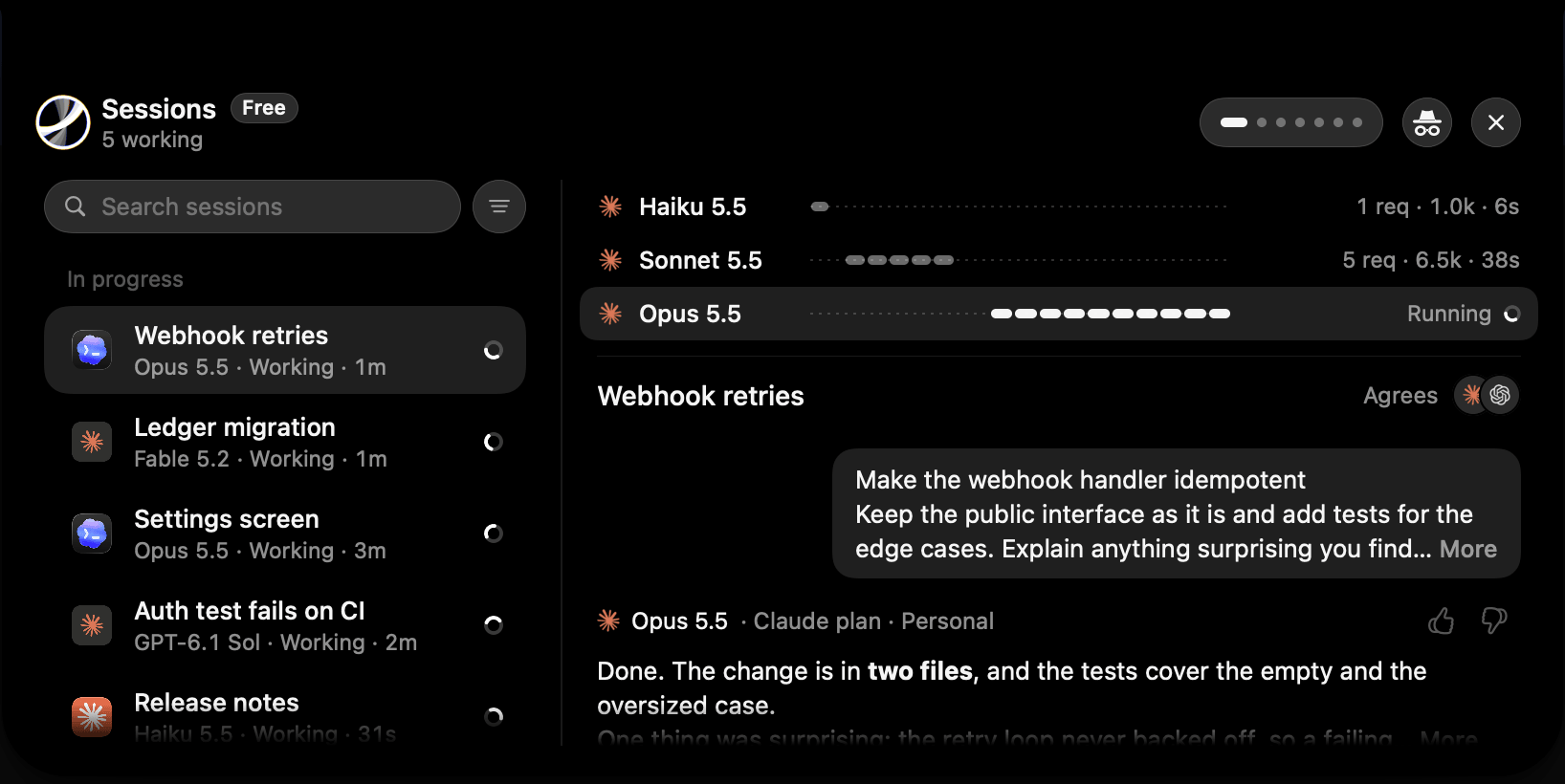
See each task get its model
While AutoRouter chooses, the island reads Routing. A moment later it shows the app, the model and why AutoRouter chose it. Point at it to make a rule from that choice, or to stop using that model.
Sessions lists the sessions in each app, with their subagents. Open one to see its prompt, the answer, every request with its tokens and cost, and which plan or credits paid for it. Rate an answer with a thumbs up or down.
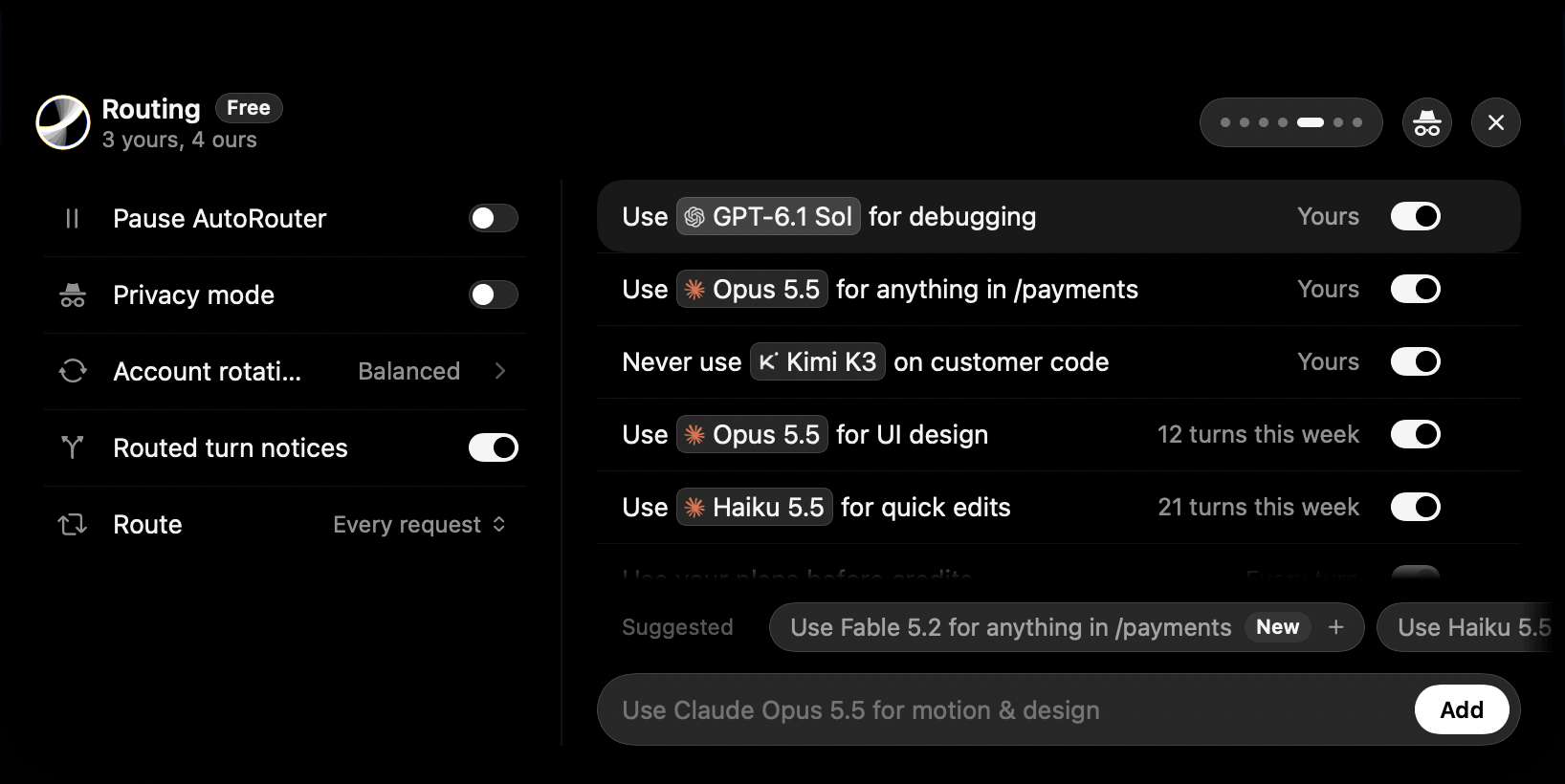
Rules and account rotation in one place
Rules is now Routing. Write a rule and pick its models from the list that appears as you type. Add a suggested rule in one click, or drag text onto the island to start a rule from it. Account rotation, and whether AutoRouter chooses for every request or once per session, sit beside your rules.
Improvements6
AppPlans & Credits draws the remaining use of every account on one chart.
AppModels shows each model's API price and which of your plans can run it.
AppShow me how points at each step of choosing AutoRouter in Codex and Claude Code, and moves on when you finish one.
AppThe island tells you when a new model arrives, when a plan runs out, and when it resets.
AppSettings is one list, with a link to each section.
AppAutoRouter does far less while you aren't using it, which saves battery.