Now in Cursor, Claude Desktop and T3 Code
Full context windows, and fewer failed requests when an account runs out.
Use AutoRouter in three more apps
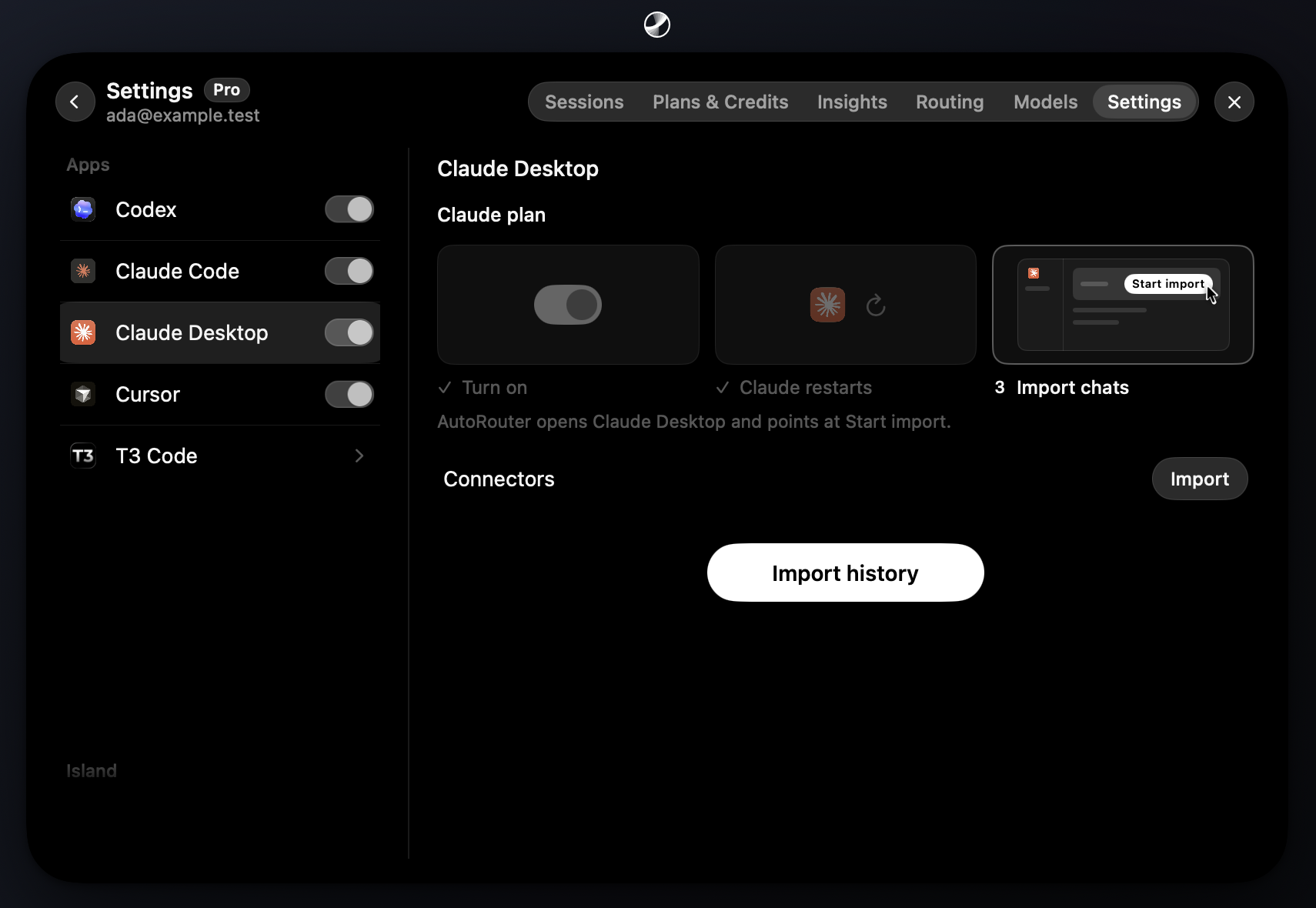
Turn on Cursor, Claude Desktop or T3 Code under Apps in Settings. They're experimental for now. Apps stay off until you turn them on.
To bring your Claude Desktop chats along, press Import history in its column.
Full context windows
Codex, Claude Code and Claude Desktop now get each model's full context window, so long sessions compact less often. You can raise it to 1M tokens in each app's settings.
Improvements5
AppYour connected plans work in every app you turn on.
AppWhen a Claude plan hits a model's limit, AutoRouter routes that model elsewhere until it resets.
AppRequests skip ChatGPT accounts that are out of allowance or can't run your model.
BillingIf your plan refuses a model you picked, AutoRouter runs it on credit.
Claude CodeNew Claude models show up in the model pickers on release day.
Fixes7
CodexRequests retry automatically if the connection drops.
CodexClaude no longer refuses requests when an MCP tool is missing its schema type.
CodexFixed "Cannot reconstruct a Request with a used body" on Claude requests.
CodexScreenshots no longer stall tasks routed to Gemini.
Claude CodeChats that switch Claude accounts keep working after a web search.
AccountAdding an account after a sign-in timeout no longer leaves a broken account.
AccountYou can reorder accounts when the first one is disconnected.