See which model answered in Codex
Put your favorite models first and find all your notices in one place.
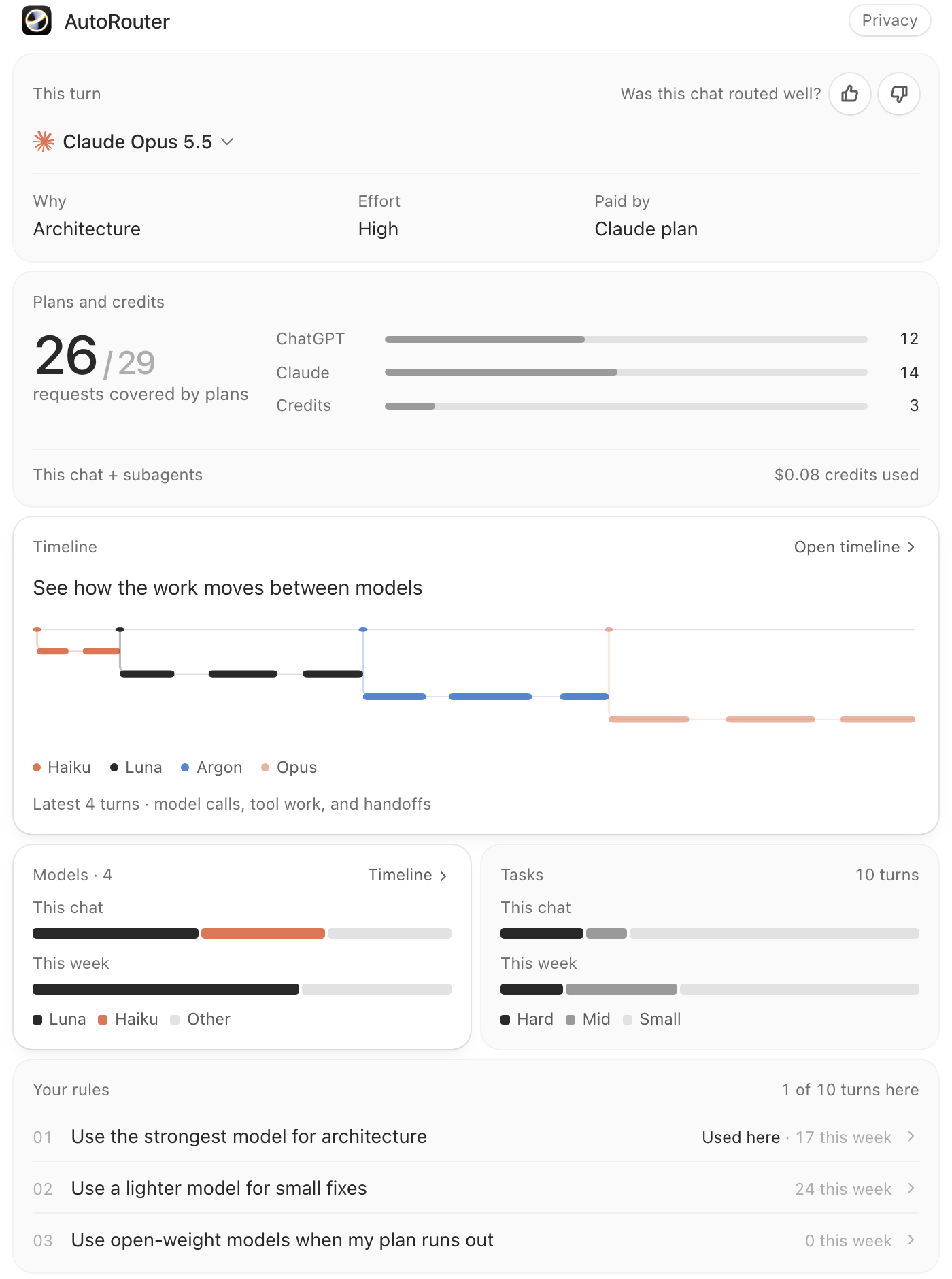
In a new Codex chat, AutoRouter shows which model it picked and why above the first answer and whenever the model changes. Click the model name to rerun that request with a different model.
Expand the strip to see the models used in the chat, what your plans covered, and which routing rules applied.
Put your favorite models first
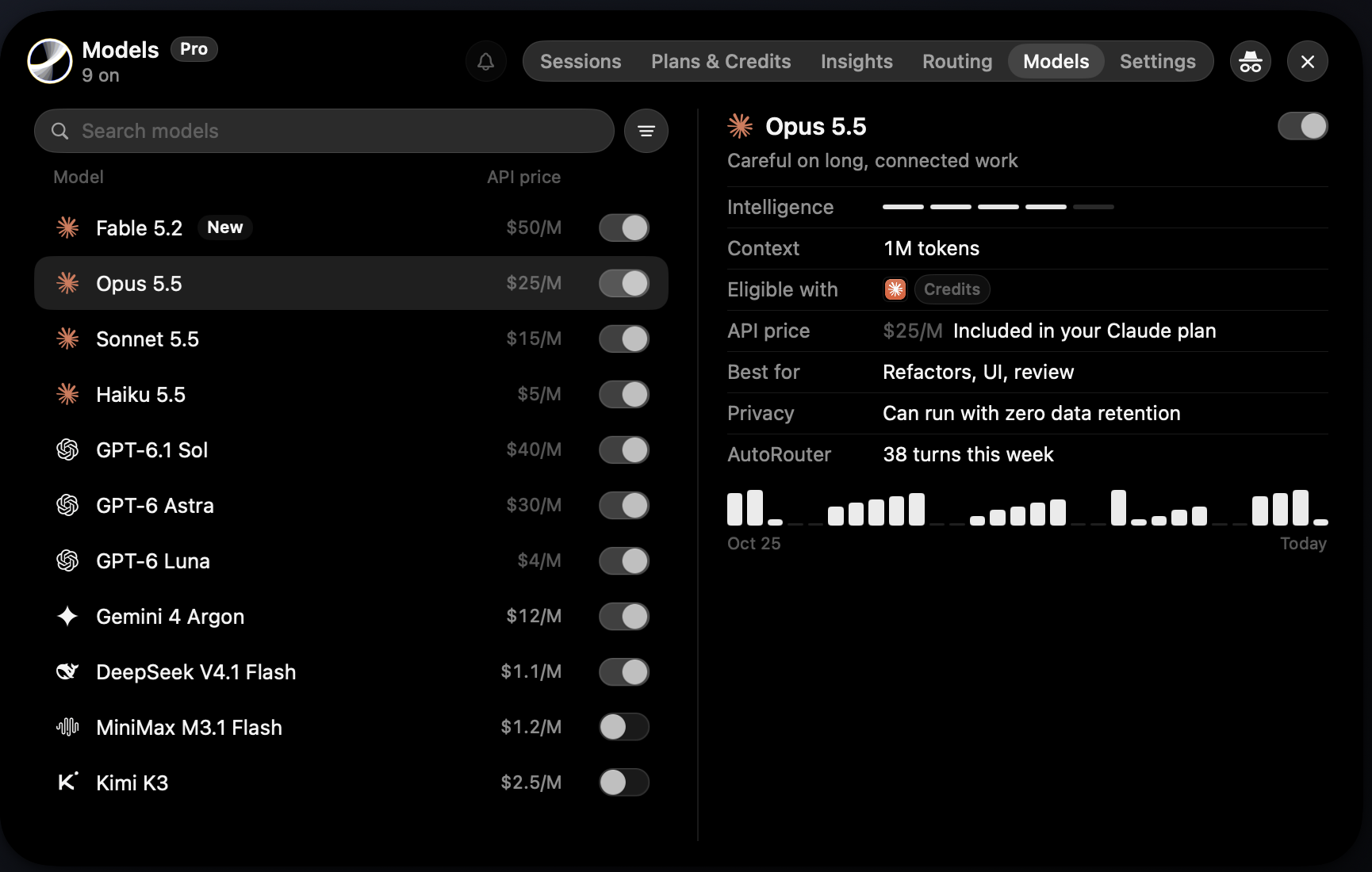
In the Mac app, open Models and select Picker order. Drag models to reorder them, or switch them off to hide them from the lists AutoRouter manages.
To see older releases alongside newer ones, turn off Hide older models in Settings → Apps.
Catch up on notices when you're ready
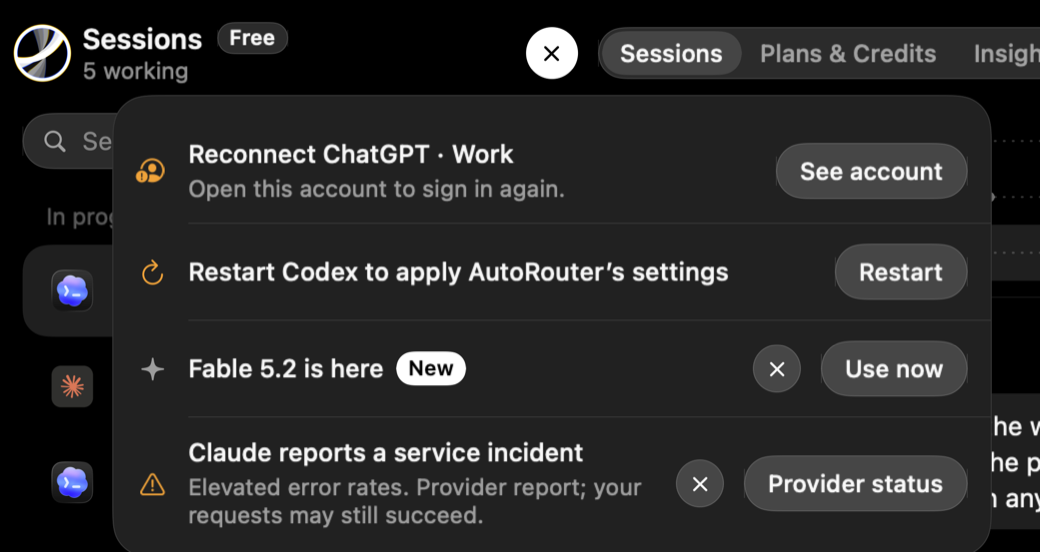
Open the bell at the top of the Mac app to see your notices. The unread count clears when you open the tray, and anything that needs your attention stays there until you act on it.
Choose what appears in Settings → Notifications.
Improvements13
BillingSpend money lets you allow charges for manual picks, allow automatic spending, or block charges.
BillingAutoRouter asks before using Claude extra usage or Codex credits on an eligible account.
BillingSessions can switch back from credits when your plan has usage available again.
AccountChoose Smart to balance usage across plan accounts or In order to prioritize them yourself.
AccountAutoRouter tries another eligible account if yours fails before answering.
AccountAutoRouter prompts you to reconnect when it can't use an account with usage left.
AccountYou can connect a ChatGPT Business workspace.
AppGive a routing decision a thumbs-up or thumbs-down from the Mac app.
AppUpdates install only while you're away from your Mac.
AppWhat's new shows every edition and flags ones that require an update.
AppIncident notices cover only services AutoRouter uses.
AppIn Notch mode, the panel opens when you pause the pointer in the notch.
Claude CodeYou can start Claude Code through AutoRouter without signing in to Claude Code separately.
Fixes7
AppThe Mac app panel opens and closes more smoothly.
AppDismissing a notice leaves the tray open.
AppThe Mac app shows which plan account covered a model you picked.
CodexFixed Claude requests failing on certain tool parameter names.
CodexCodex stops retrying when a Claude request needs usage credits.
CursorCursor keeps reasoning across tool calls, and GPT-5.6 models work in Cursor Agent.
AccountSigning out disconnects AutoRouter from the apps it set up on that Mac.